
JWT Authentication in Spring Boot – Full Implementation Guide
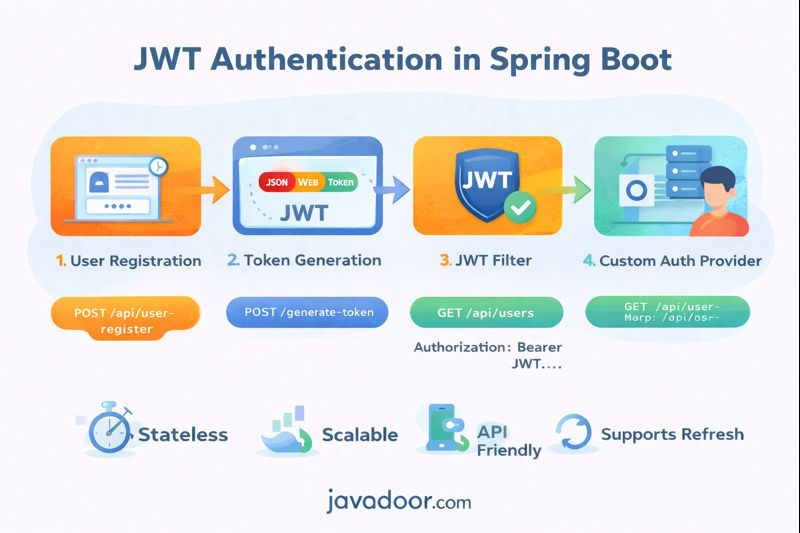
We will implement:
- User Registration
- Token Generation (Login)
- JWT Validation Filter
- Custom Authentication Provider
- Secured APIs
- Refresh Token
Step 1 – Dependencies (pom.xml)
<dependency>
    <groupId>org.springframework.boot</groupId>
    <artifactId>spring-boot-starter-security</artifactId>
</dependency>

<dependency>
    <groupId>io.jsonwebtoken</groupId>
    <artifactId>jjwt-api</artifactId>
    <version>0.11.5</version>
</dependency>
<dependency>
    <groupId>io.jsonwebtoken</groupId>
    <artifactId>jjwt-impl</artifactId>
    <version>0.11.5</version>
</dependency>
<dependency>
    <groupId>io.jsonwebtoken</groupId>
    <artifactId>jjwt-jackson</artifactId>
    <version>0.11.5</version>
</dependency>
Step 2 – User Entity
@Entity
public class UserAuthEntity implements UserDetails {

    @Id
    @GeneratedValue
    private Long id;

    private String username;
    private String password;
    private String role;

    @Override
    public Collection<? extends GrantedAuthority> getAuthorities() {
        return List.of(new SimpleGrantedAuthority(role));
    }

    // other UserDetails methods return true
}
Step 3 – UserDetailsService
@Service
public class UserAuthService implements UserDetailsService {

    @Autowired
    private UserRepository repo;

    @Override
    public UserDetails loadUserByUsername(String username) {
        return repo.findByUsername(username)
                .orElseThrow();
    }
}
Step 4 – Password Encoder
@Bean
public PasswordEncoder passwordEncoder() {
    return new BCryptPasswordEncoder();
}
Step 5 – JWT Utility Class
@Component
public class JwtUtil {

    private final String SECRET = "javadoor_secret_key";

    public String generateToken(UserDetails user) {
        return Jwts.builder()
                .setSubject(user.getUsername())
                .claim("role", user.getAuthorities().iterator().next().getAuthority())
                .setIssuedAt(new Date())
                .setExpiration(new Date(System.currentTimeMillis() + 600000))
                .signWith(Keys.hmacShaKeyFor(SECRET.getBytes()))
                .compact();
    }

    public String extractUsername(String token) {
        return getClaims(token).getSubject();
    }

    public Claims getClaims(String token) {
        return Jwts.parserBuilder()
                .setSigningKey(SECRET.getBytes())
                .build()
                .parseClaimsJws(token)
                .getBody();
    }
}
Step 6 – Token Generation API
@RestController
public class AuthController {

    @Autowired
    private AuthenticationManager authManager;

    @Autowired
    private JwtUtil jwtUtil;

    @PostMapping("/generate-token")
    public String generateToken(@RequestBody AuthRequest req) {

        Authentication auth = new UsernamePasswordAuthenticationToken(
                req.getUsername(), req.getPassword());

        authManager.authenticate(auth);

        return jwtUtil.generateToken(
                new User(req.getUsername(), "", List.of()));
    }
}
Step 7 – JWT Filter (Most Important)
public class JwtFilter extends OncePerRequestFilter {

    @Autowired
    private JwtUtil jwtUtil;

    @Autowired
    private UserAuthService userService;

    @Override
    protected void doFilterInternal(
            HttpServletRequest request,
            HttpServletResponse response,
            FilterChain chain) {

        String header = request.getHeader("Authorization");

        if (header != null && header.startsWith("Bearer ")) {

            String token = header.substring(7);
            String username = jwtUtil.extractUsername(token);

            UserDetails user = userService.loadUserByUsername(username);

            Authentication auth = new UsernamePasswordAuthenticationToken(
                    user, null, user.getAuthorities());

            SecurityContextHolder.getContext().setAuthentication(auth);
        }

        chain.doFilter(request, response);
    }
}
Step 8 – Security Configuration
@Bean
public SecurityFilterChain filterChain(HttpSecurity http) throws Exception {

    http.csrf().disable()
        .authorizeHttpRequests()
        .requestMatchers("/generate-token", "/api/user-register").permitAll()
        .anyRequest().authenticated()
        .and()
        .sessionManagement()
        .sessionCreationPolicy(SessionCreationPolicy.STATELESS);

    http.addFilterBefore(jwtFilter, UsernamePasswordAuthenticationFilter.class);

    return http.build();
}
Step 9 – Protected API
@GetMapping("/api/users")
public String users() {
    return "Hello Secure User";
}
Call with:
Authorization: Bearer <JWT>
Refresh Token Example
@PostMapping("/refresh-token")
public String refresh(HttpServletRequest request) {

    String oldToken = request.getHeader("Authorization").substring(7);
    String username = jwtUtil.extractUsername(oldToken);

    UserDetails user = userService.loadUserByUsername(username);
    return jwtUtil.generateToken(user);
}
Real Request Flow
Login
POST /generate-token
{
  "username": "nimai",
  "password": "12345"
}
Response:
eyJhbGciOiJIUzI1NiIs...
Access API
GET /api/users
Authorization: Bearer eyJhbGciOiJIUzI1NiIs...
What Happens Internally?
| Step | What |
|---|---|
| Filter | Reads JWT |
| Util | Validates signature |
| Service | Loads user |
| SecurityContext | Stores auth |
| Controller | Executes |
Why This Works So Well
Because:
- No sessions
- No cookies
- No DB lookup every time
- Works in microservices
- Works in Kubernetes
- Works with mobile apps
Interview Power Questions
Q1. Where is session in JWT?
There is no session.
Q2. What happens on server restart?
Nothing breaks. Token still valid.
Q3. Can we horizontally scale?
Yes, infinitely.
Q4. Can we logout?
Only by:
- Token expiry
- Blacklist
- Changing secret key
Final Architecture Comparison
| Feature | Form Login | Basic | JWT |
|---|---|---|---|
| Session | Yes | No | No |
| Stateless | No | Yes | Yes |
| Secure | Medium | Low | High |
| Scalable | Low | Medium | Very High |
| Modern apps | No | No | Yes |
Final Advice (Industry Truth)
If you are building:
- Microservices
- Mobile backend
- Cloud systems
- APIs
JWT is not optional – it is mandatory knowledge.
This exact implementation pattern is used in:
- Netflix
- Amazon
- Google APIs
- Almost every modern SaaS product.