
Native Queries, Criteria API & Specification API – Complete Guide
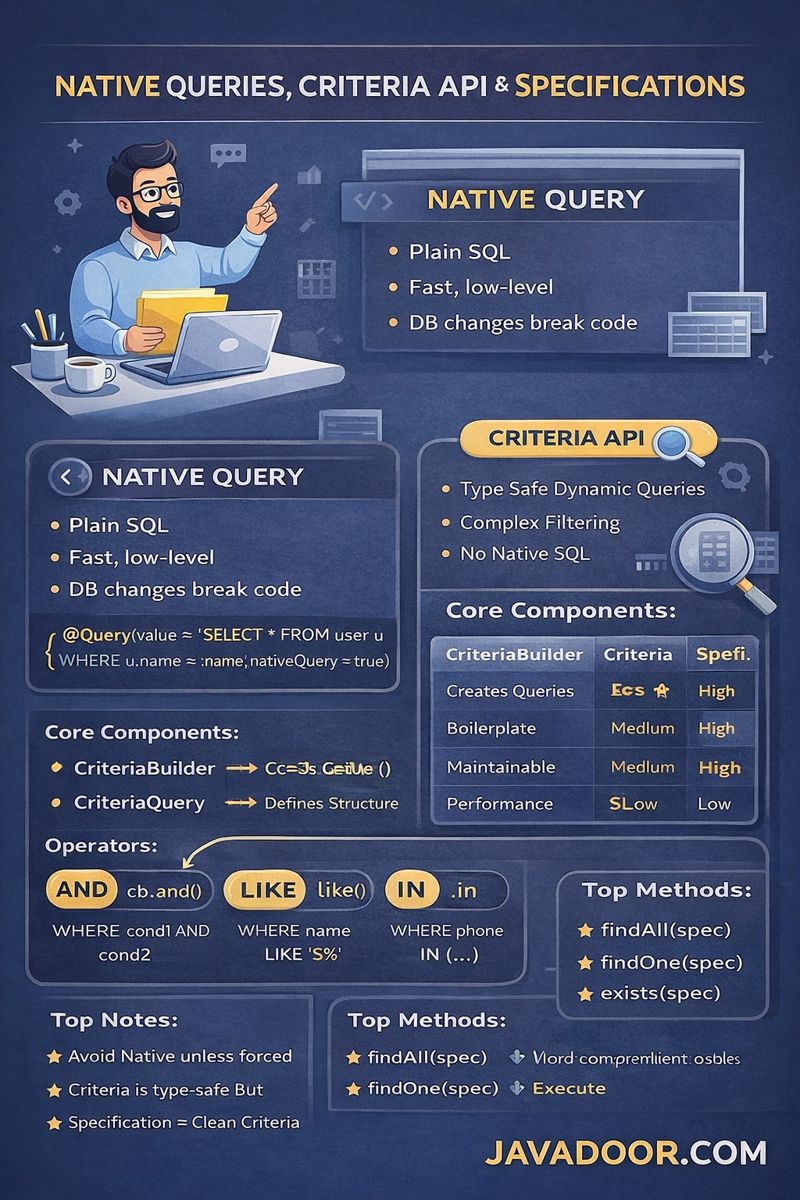
1. What is a Native Query?
Native Query means:
Writing pure SQL inside JPA.
Example:
@Query(value = "SELECT * FROM user_details WHERE user_name = :name", nativeQuery = true)
Key Characteristics:
- Direct DB interaction
- No JPA caching
- No lazy loading
- No entity lifecycle management
If DB changes → query breaks.
2. When should we use Native Query?
Use Native Query when:
1. Database-specific features
Like:
- JSONB (Postgres)
- LATERAL JOIN
- Window functions
2. Non-entity results
When joining tables without entity relationships.
3. Bulk operations
For high-performance delete/update.
3. Full Entity vs Partial Fields
Case 1: Selecting *
SELECT * FROM user_details
JPA auto maps result to Entity.
Case 2: Selecting specific columns
SELECT user_name, phone FROM user_details
JPA fails unless you define mapping.
4. Mapping Partial Results (Two Ways)
Method 1: @SqlResultSetMapping (Enterprise Way)
Used when:
- You want direct DTO output
Steps:
- Define @NamedNativeQuery
- Define @SqlResultSetMapping
- Map columns → DTO constructor
This is best for clean APIs.
Method 2: Manual Mapping (Most Used)
Return:
List<Object[]>
Then:
map(obj -> new UserDTO(obj[0], obj[1]))
Simple, fast, flexible.
5. Dynamic Native Query
When filters are optional:
WHERE 1=1
AND name = ?
AND city = ?
Built using:
StringBuilder
Used in:
- Admin panels
- Search APIs
- Reports
6. Pagination & Sorting in Native SQL
Using:
LIMIT ? OFFSET ?
ORDER BY column DESC
Handled manually in SQL.
Unlike JPQL, JPA does nothing here.
Criteria API – Type Safe Dynamic Queries
7. Why Criteria API exists?
Native SQL:
- Not portable
- DB dependent
Criteria API:
- Type safe
- DB independent
- Object oriented
8. Core Components
| Component | Role |
|---|---|
| CriteriaBuilder | Creates queries |
| CriteriaQuery | Defines structure |
| Root | FROM clause |
| Predicate | WHERE condition |
| TypedQuery | Executes |
9. Criteria Operators
Comparison:
cb.equal()
cb.gt()
cb.lt()
Logical:
cb.and()
cb.or()
cb.not()
String:
cb.like()
cb.notLike()
Collection:
cb.in()
cb.notIn()
10. Select vs Multiselect
| Method | Result |
|---|---|
| select() | Full entity |
| multiselect() | Partial fields |
11. Pagination in Criteria
setFirstResult(offset)
setMaxResults(limit)
Manual pagination.
Specification API – Cleanest Approach
12. Problems with Criteria API
- Too much boilerplate
- Duplicate predicate logic
- Hard to maintain
13. Specification API Solution
Spring abstraction on Criteria.
You only write:
toPredicate()
Spring handles:
- Builder
- Query
- Execution
14. JpaSpecificationExecutor
Gives ready-made methods:
findAll(Specification)
findOne(Specification)
exists(Specification)
findAll(Specification, Pageable)
Reusable, clean, testable.
15. Combining Specifications
spec1.and(spec2)
spec1.or(spec2)
Specification.not(spec1)
Perfect for:
- Search filters
- Dynamic APIs
- Admin dashboards
Comparison Table
| Feature | Native | Criteria | Specification |
|---|---|---|---|
| DB independent | ❌ | ✅ | ✅ |
| Type safe | ❌ | ✅ | ✅ |
| Boilerplate | Low | High | Very low |
| Maintainability | Low | Medium | High |
| Performance | High | Medium | Medium |
| Best for | Reports | Dynamic queries | Real projects |
Real Industry Rules (Gold)
These are what architects follow:
- Avoid Native unless necessary
- Use Specification for search APIs
- Use JPQL for joins
- Use Native for reports
- Always return DTO
- Never expose Object[]
- Combine Specification with Pageable
- Never hardcode SQL in controllers
Interview Killer Lines
Say these and you sound senior:
“Native queries bypass JPA lifecycle.”
“Criteria API is type-safe but verbose.”
“Specification API is abstraction over Criteria.”
“Partial native results require manual mapping.”
“Specification solves code duplication.”