
🌱 Spring Boot – Controller Layer Annotations (Part-1)
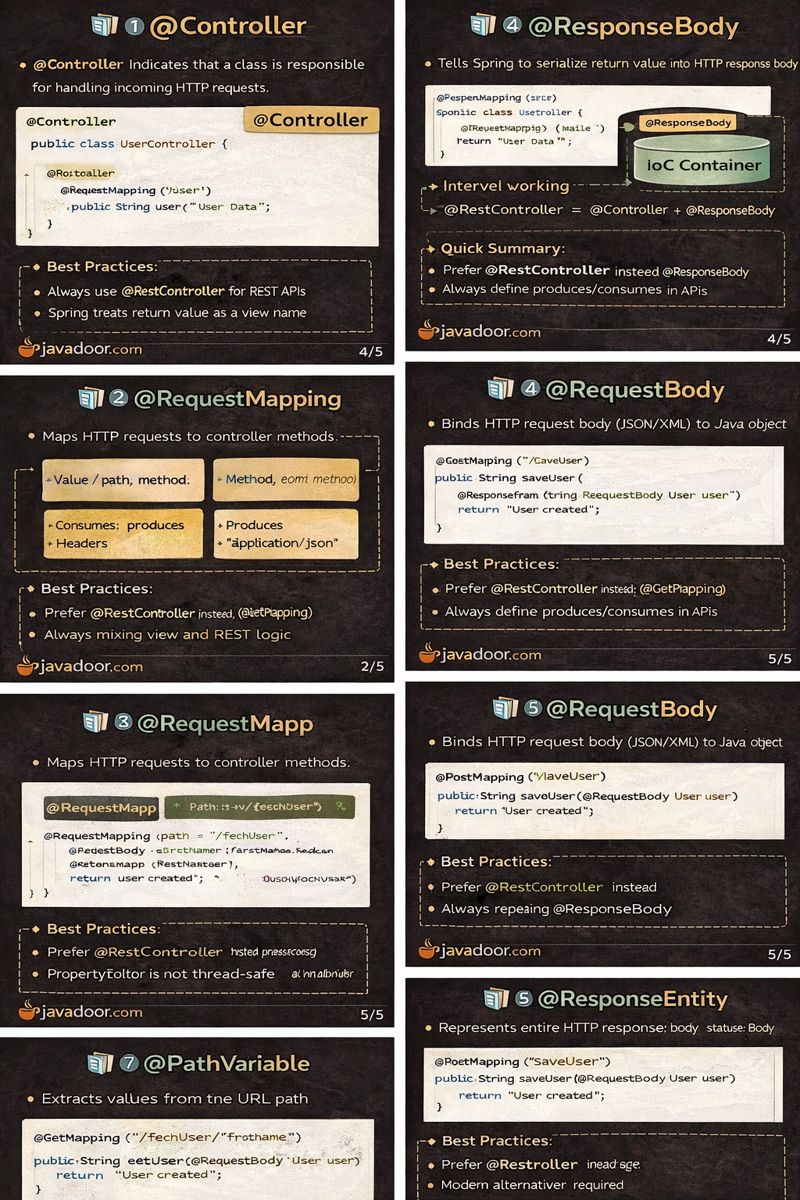
1️⃣ @Controller
🔹 What is @Controller?
- @Controller indicates that a class is responsible for handling incoming HTTP requests.
- It is a specialized stereotype annotation built on top of @Component.
🔹 Internal Working
- At startup, Spring scans classes annotated with
@Controller - Registers them as Spring beans
- Methods inside the controller are mapped to URLs using mapping annotations
🔹 Important Behavior
- If a method returns a String, Spring treats it as a view name
- View resolution happens using ViewResolver
@Controller
public class UserController {

    @RequestMapping("/home")
    public String home() {
        return "home"; // resolved as view name
    }
}
⚙️ Best Practices
- Use
@Controlleronly when returning views (JSP/Thymeleaf) - Do not use it for pure REST APIs
✅ Quick Summary
@Controller= MVC controller- Returns view name by default
- Internally a
@Component
❓ Interview / Exam Questions (with Answers)
- Is @Controller a bean?
→ Yes, it is meta-annotated with@Component. - What happens if ResponseBody is not used?
→ Spring treats return value as a view name. - Can @Controller handle REST APIs?
→ Yes, but requires@ResponseBody.
2️⃣ @RestController
🔹 What is @RestController?
- Combination of:
- @Controller
- @ResponseBody
@RestController
public class UserController {

    @GetMapping("/user")
    public String user() {
        return "User Data";
    }
}
🔹 Internal Working
- Return value is written directly to HTTP response body
- Uses HttpMessageConverters
- Typically serializes response to JSON or XML
⚙️ Best Practices
- Always use
@RestControllerfor REST APIs - Avoid mixing view and REST logic
✅ Quick Summary
@RestController = @Controller + @ResponseBody- Used for REST APIs
- No view resolution
❓ Interview / Exam Questions
- Difference between @Controller and @RestController?
→ RestController returns data, Controller returns views. - Can we use @ResponseBody with @RestController?
→ No need, it is implicit. - What format does @RestController return?
→ JSON/XML via converters.
3️⃣ @ResponseBody
🔹 What is @ResponseBody?
- Tells Spring to serialize return value into HTTP response body
- Skips ViewResolver
@Controller
public class SampleController {

    @ResponseBody
    @GetMapping("/hello")
    public String hello() {
        return "Hello World";
    }
}
🔹 Internal Flow
Controller → HttpMessageConverter → HTTP Response
⚙️ Best Practices
- Prefer
@RestControllerinstead of repeating@ResponseBody - Useful for partial REST controllers
✅ Quick Summary
- Serializes response
- Avoids view resolution
- Used heavily in REST APIs
❓ Interview / Exam Questions
- What happens without @ResponseBody?
→ Spring looks for a view. - Is @ResponseBody required in REST APIs?
→ Yes, unless using @RestController. - Who performs serialization?
→ HttpMessageConverters.
4️⃣ @RequestMapping
🔹 Purpose
Maps HTTP requests to controller methods.
🔹 Important Attributes
| Attribute | Purpose |
|---|---|
value / path |
URL mapping |
method |
HTTP method |
consumes |
Request content type |
produces |
Response content type |
headers |
Required headers |
@RequestMapping(
  path = "/fetchUser",
  method = RequestMethod.GET,
  consumes = "application/json",
  produces = "application/json"
)
🔹 Specialized Variants
@GetMapping@PostMapping@PutMapping@DeleteMapping
⚙️ Best Practices
- Prefer specific mappings (
@GetMapping) - Always define produces/consumes in APIs
✅ Quick Summary
- Core request mapping annotation
- Supports full HTTP configuration
- Base for REST mappings
❓ Interview / Exam Questions
- Difference between value and path?
→ No difference. - Which is preferred: @RequestMapping or @GetMapping?
→ @GetMapping (cleaner). - Can multiple URLs map to same method?
→ Yes.
5️⃣ @RequestParam
🔹 Purpose
Binds query parameters to method arguments.
@GetMapping("/fetchUser")
public String getUser(
  @RequestParam String firstName,
  @RequestParam(required = false) String lastName,
  @RequestParam int age) {
    return "User fetched";
}
🔹 Automatic Type Conversion
Spring converts String → target type:
- Primitive types
- Wrapper classes
- Enums
- Custom objects (via PropertyEditor)
⚠️ Edge Cases
- Missing required param → 400 Bad Request
- Use
required=falseordefaultValue
✅ Quick Summary
- Used for query parameters
- Automatic type conversion
- Supports default values
❓ Interview / Exam Questions
- What happens if param is missing?
→ 400 error (if required). - Can enums be used with @RequestParam?
→ Yes. - Difference between @RequestParam and @PathVariable?
→ Query vs URL path.
6️⃣ PropertyEditor (Custom Type Binding)
🔹 Why PropertyEditor?
- Used when binding custom object logic
- Allows pre-processing input values
public class FirstNamePropertyEditor extends PropertyEditorSupport {
    @Override
    public void setAsText(String text) {
        setValue(text.trim().toLowerCase());
    }
}
@InitBinder
protected void initBinder(DataBinder binder) {
    binder.registerCustomEditor(
        String.class, "firstName",
        new FirstNamePropertyEditor());
}
⚙️ Best Practices
- Prefer Converter (modern approach)
- PropertyEditor is not thread-safe
✅ Quick Summary
- Custom request value conversion
- Legacy approach
- Use converters in production
❓ Interview / Exam Questions
- Is PropertyEditor thread-safe?
→ No. - Modern alternative?
→ Spring Converter. - Where is it registered?
→ @InitBinder.
7️⃣ @PathVariable
🔹 Purpose
Extracts values from URL path
@GetMapping("/fetchUser/{firstName}")
public String getUser(@PathVariable String firstName) {
    return "User: " + firstName;
}
⚙️ Best Practices
- Use for resource identification
- Keep URLs meaningful
✅ Quick Summary
- Binds URL path values
- Used in RESTful design
- Cleaner URLs
❓ Interview / Exam Questions
- Is @PathVariable mandatory?
→ Yes if path contains variable. - Can it be optional?
→ Yes (required=false). - REST use case?
→ Resource identification.
8️⃣ @RequestBody
🔹 Purpose
Binds HTTP request body (JSON/XML) to Java object.
@PostMapping("/saveUser")
public String saveUser(@RequestBody User user) {
    return "User created";
}
🔹 Internal Working
- JSON → Java object via Jackson
- Uses HttpMessageConverter
⚠️ Edge Cases
- Invalid JSON → 400 Bad Request
- Missing fields → null values
✅ Quick Summary
- Used for POST/PUT requests
- JSON → Object mapping
- Uses Jackson internally
❓ Interview / Exam Questions
- Which library handles JSON mapping?
→ Jackson. - Can @RequestBody work with GET?
→ Technically yes, but not recommended. - What happens on invalid JSON?
→ 400 error.
9️⃣ ResponseEntity
🔹 Purpose
Represents entire HTTP response:
- Body
- Status code
- Headers
return ResponseEntity
       .status(HttpStatus.OK)
       .body("Success");
⚙️ Best Practices
- Always use for REST APIs
- Helps in proper HTTP semantics
✅ Quick Summary
- Full control over response
- Status + headers + body
- Best practice for REST APIs
❓ Interview / Exam Questions
- Why use ResponseEntity?
→ To control status & headers. - Default status without it?
→ 200 OK. - Can headers be added?
→ Yes.
🎯 FINAL TAKEAWAYS (Interview Perspective)
- Controller layer handles HTTP communication
- Annotations define binding, mapping, serialization
- REST APIs require proper HTTP semantics
- Clean separation improves testability & scalability